Sell out before you start baking.
Set up your drop menu, share one link, and collect pre-orders before you turn on the oven. No more DMs, no more guessing how much to bake.
Pre-orders first
Know what sold before you bake
One shareable link
Your storefront, always ready
Auto bake lists
Know what to make and how much
Run your drops from one app.
Stop juggling DMs, spreadsheets, and payment screenshots. BakeryFlow keeps your menu, orders, payments, and prep in one place.
Your own storefront 🏪
One link your customers visit to see your drop menu, place pre-orders, and choose a pickup time. Put it in your Instagram bio and you're set.
Pre-orders, not DMs 💬
Customers shop your menu like a normal store, with no forms or DMs. Every order lands in your list and adds up into your bake list.
Flexible payments 💳
Customers pay by card, Venmo, Zelle, Cash App, PayPal, Interac e-Transfer (Canada), cash, or another method you set. Card payments go through Stripe. Everything else goes straight to you.
Also in the app
Customer emails that send themselves
Drop live, closing soon, pickup reminder and review request emails go out on their own.
Notify-me list
Customers sign up on your storefront to hear when your next drop opens.
Packing slips and labels
Print slips and labels in sizes from 4x6 down to 3x2, each with a QR code.
Bulk mark ready
Mark a stack of orders Pickup Ready in one go.
CSV export
Export your orders and customers to a spreadsheet.
Multiple pickup locations
Offer pickup at more than one spot, like your home and a market.
Variants and drop discounts
Sell sizes or flavors as variants, and set discounts that apply on their own.
Coupons and reviews
Give regulars a code. Collect reviews after pickup and show them on your storefront.
Sales tax
Add sales tax to orders, or price items with tax included.
Holiday themes and announcements
Dress your storefront for the season and post a note in the announcement bar.
Who uses BakeryFlow
If you bake to pre-order, BakeryFlow was made for you.
How a drop works with BakeryFlow
Set up a drop, share your link, and take pre-orders. Here's the flow.
Plan your drop
Add your menu items, set quantity limits, choose pickup windows, and pick when ordering opens and closes.
Share & collect pre-orders
Post your storefront link on Instagram, text it to regulars, or pin it in your bio. BakeryFlow emails your customers when the drop goes live and before it closes.
Bake, fulfill, done
On bake day, your bake list tells you what to make. Print packing slips, mark orders Pickup Ready, and mark them Picked Up as customers come by.
See it from your customer's perspective
Want to know exactly what buying from you feels like? Visit our mock storefront, Sweet & Sour Bakery. Browse the menu, select a pickup window, and place a test order.
Screens from the app
Every screen follows a drop, from setting up your menu to the last pickup.
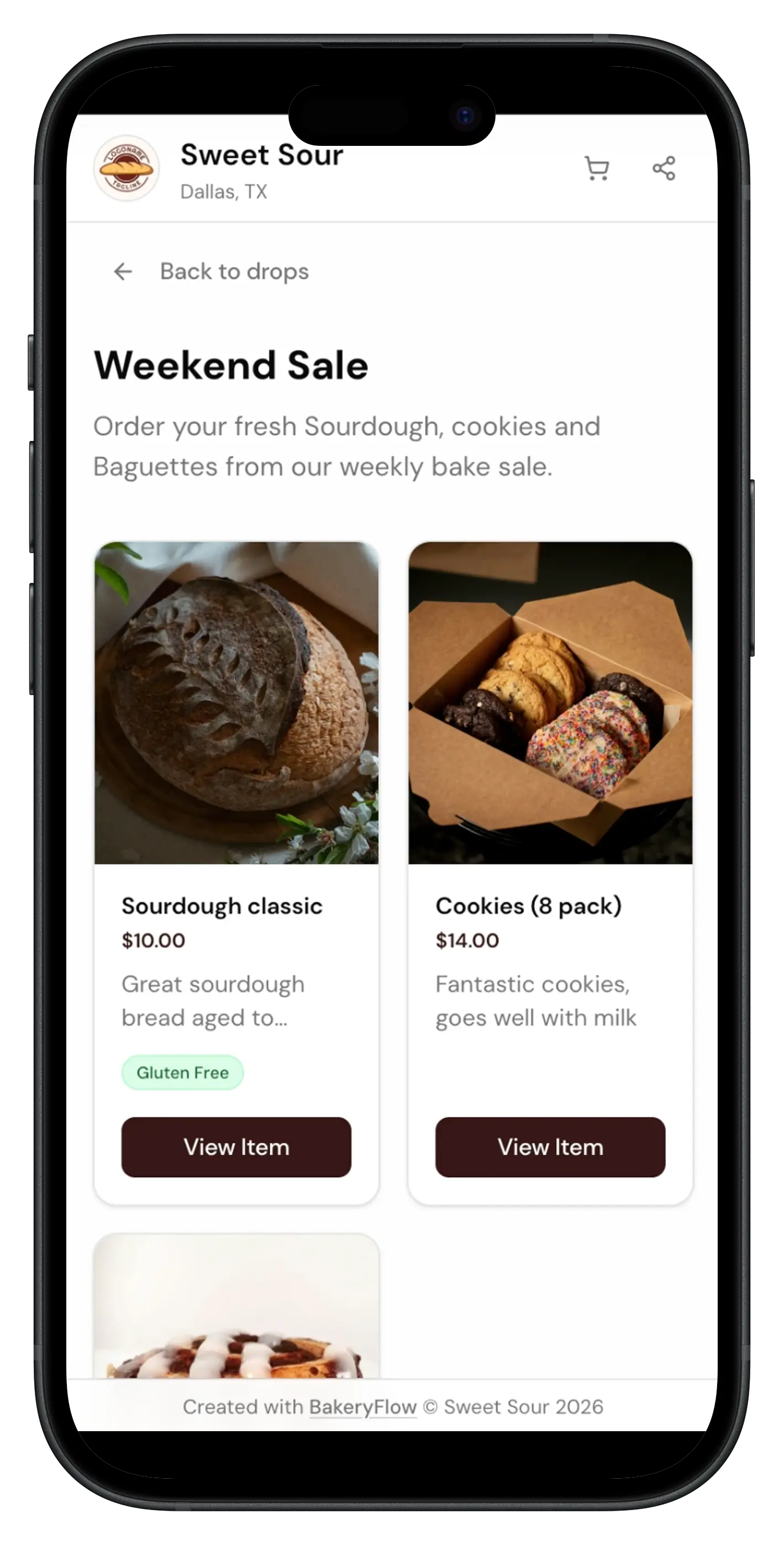
Your storefront
This is what your customers see: your menu, prices, and pickup times. They order right here, with no app.
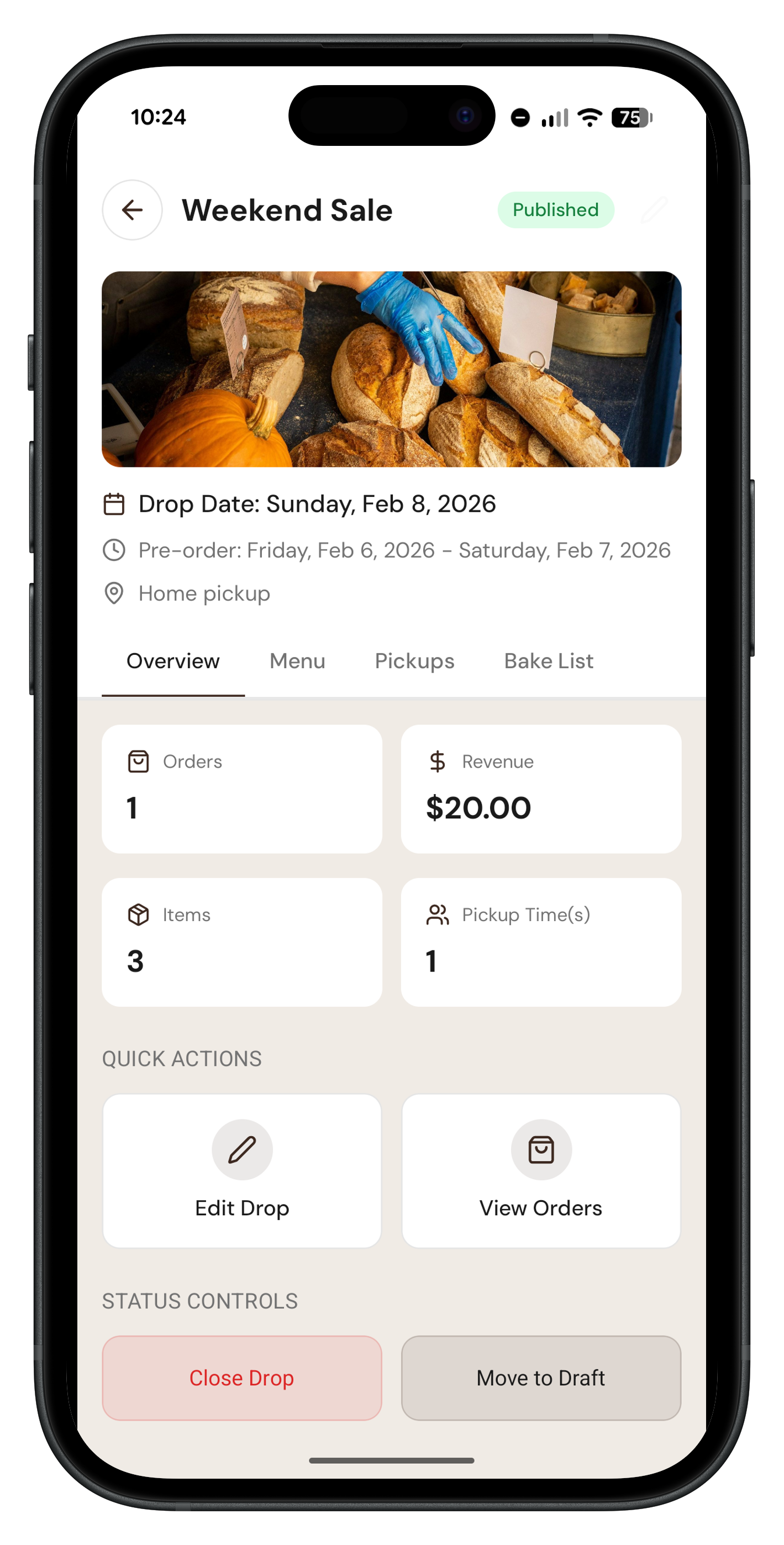
Drop setup
Choose your date, add items from your catalog, set quantity limits, and set when ordering opens and closes.
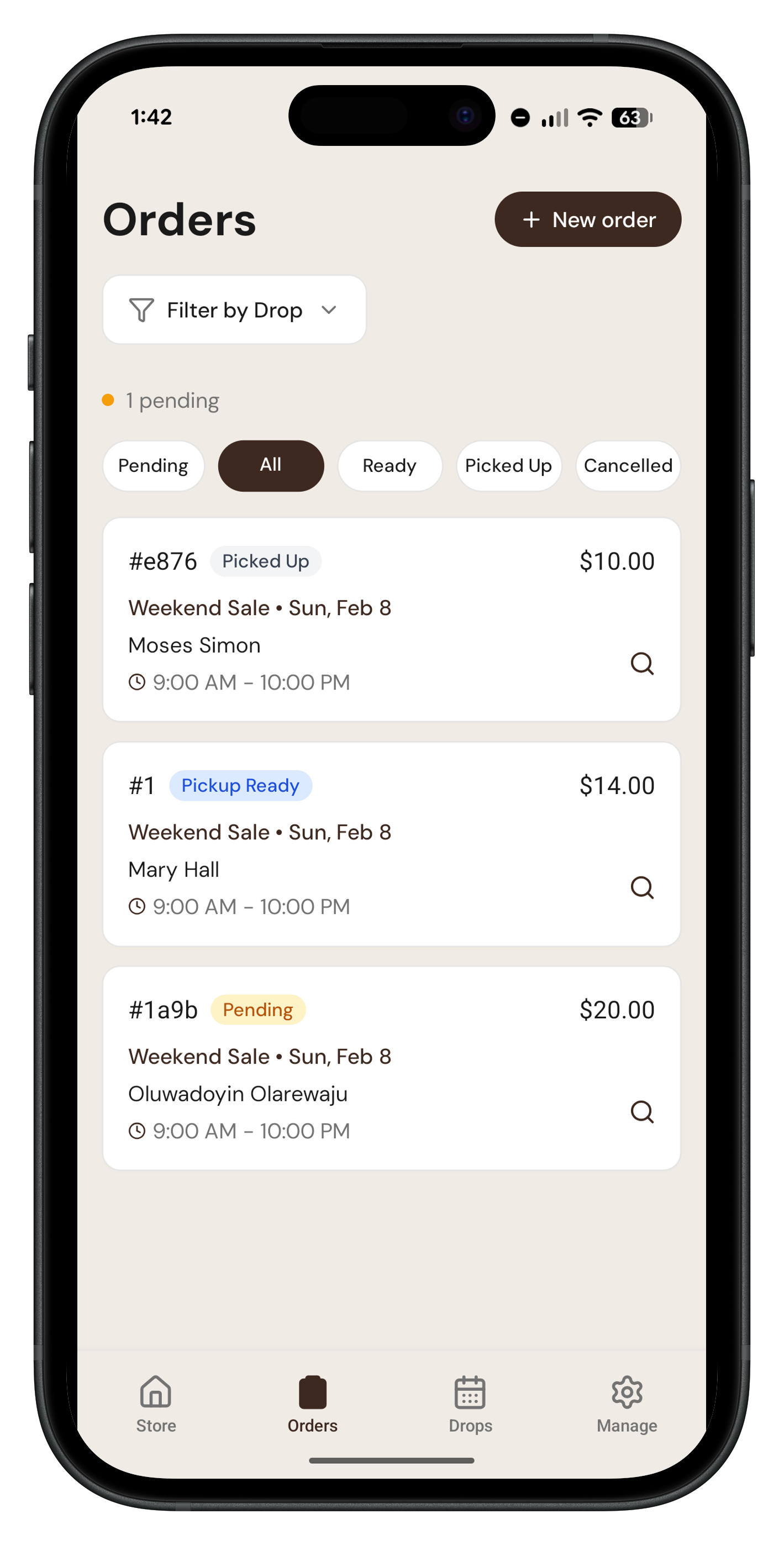
Order management
See every pre-order at a glance. Move orders from Accepted to Pickup Ready to Picked Up, and track payment separately.
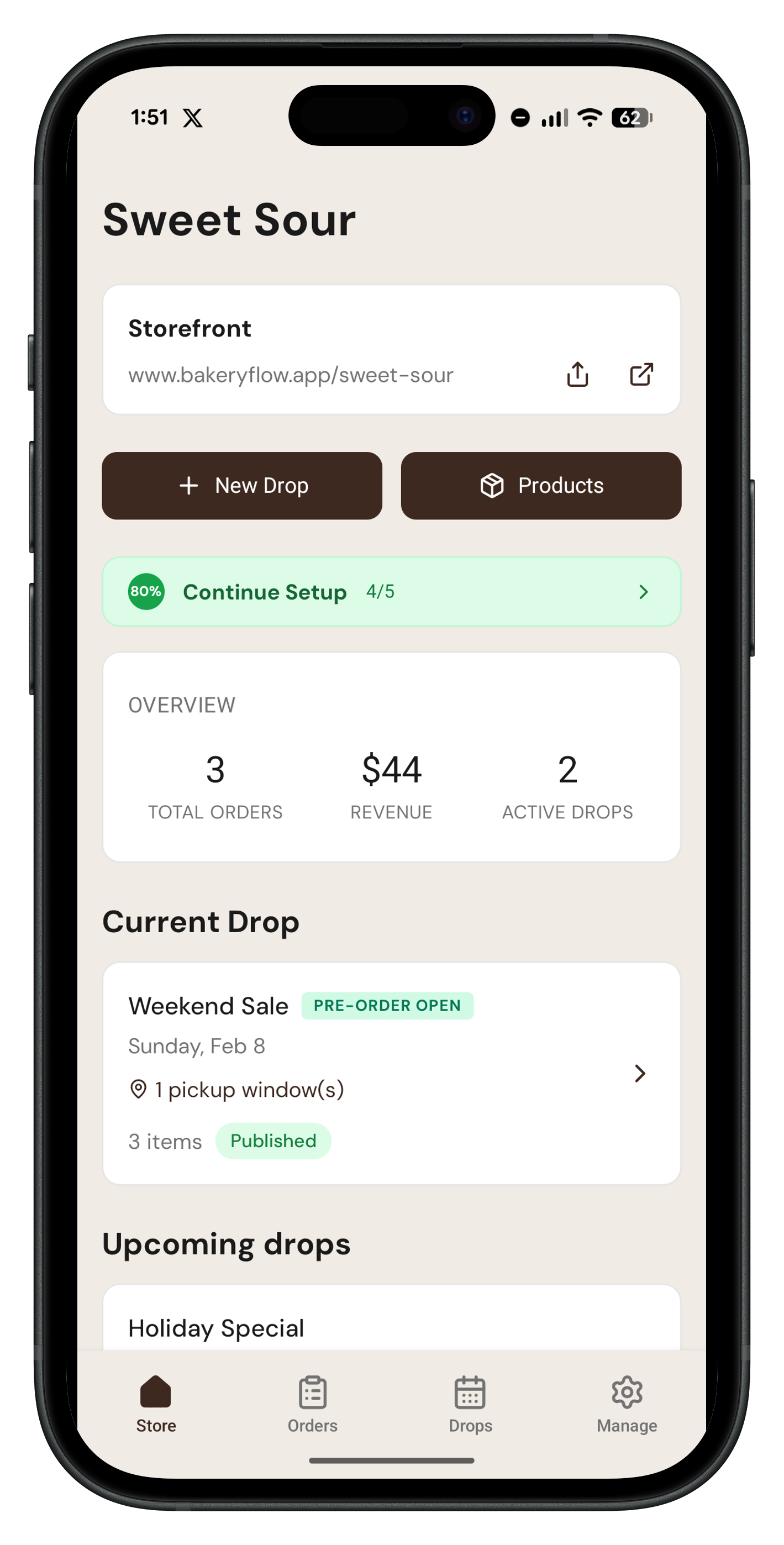
Dashboard
Your view of upcoming drops, total orders, and revenue in one place.
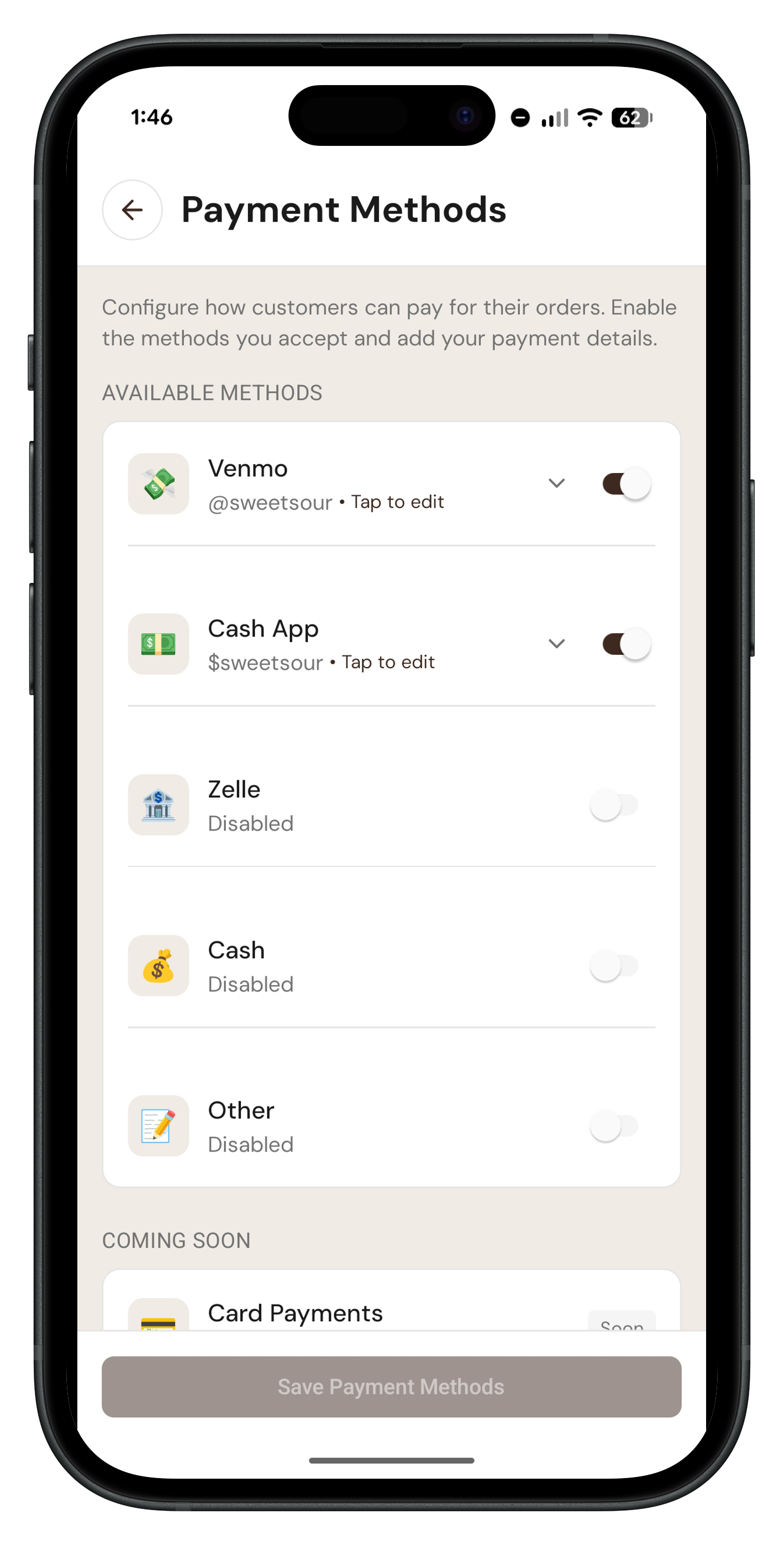
Payment options
Show customers how to pay you, by card or the methods you already use, like Interac e-Transfer or PayPal.
Screens from the actual app using sample bakery data.
DMs & spreadsheets vs. one calm workflow
Here's what changes when you stop taking orders through social media and switch to BakeryFlow.
Without BakeryFlow
- ❌ Chasing orders across DMs, comments, and Google Forms.
- ❌ Manually tracking who paid and who didn't.
- ❌ Counting quantities by hand to figure out what to bake.
- ❌ No idea if you'll sell enough to justify baking.
With BakeryFlow
- ✅ One link with a real order form and payment instructions.
- ✅ Automatic bake lists that tell you what to make.
- ✅ Track every order from Pending to Picked Up, with payment tracked alongside.
- ✅ Know what sold before you start baking.
Straightforward pricing for every bakery stage.
Start with a 2-month free trial, then pick the plan that fits your bakery. No BakeryFlow per-order fee on either plan.
Monthly plan
Flexible for bakeries testing or growing month to month.
Yearly plan
Save more with annual billing.
2-month free trial, then $6.99/month or $59.99/year.
Choose monthly or yearly billing from your bakery settings. Prices are in US dollars. In Canada, you're billed in Canadian dollars.
Frequently Asked Questions
A few quick answers about BakeryFlow.
What is BakeryFlow?⌄
BakeryFlow is a mobile app for home bakers and cottage bakeries who sell through drops. You set up your menu, share one storefront link, and collect pre-orders before you turn on the oven. No more DMs, no more spreadsheets.
What's a drop?⌄
A drop is a pre-order sale. You set the menu, quantity limits and pickup windows, open ordering for a set time, and customers pre-order from your link. Then you bake what sold on bake day.
How does the order process work?⌄
You set up a drop, then share your storefront link (it fits in your Instagram bio). Customers browse your menu, pick their items and a pickup window, and place their order. BakeryFlow adds it all up into a bake list so you know what to make and how much.
Do customers need to create an account?⌄
No. Customers order from your storefront link with no account and no app download. They pick their items, enter their name and contact details, and submit the order. You see it in the app.
How do customers pay?⌄
You choose the methods you take: card, Venmo, Zelle, Cash App, PayPal, Interac e-Transfer (Canada), cash, or another method you set. For non-card payments, customers see your payment instructions on the order confirmation page and pay you directly. Card payments go through Stripe and carry Stripe's processing fee.
What are pickup windows?⌄
Pickup windows are time slots you set for a drop, for example Saturday 10am-12pm or Sunday 2pm-4pm. You can offer more than one pickup location. Customers choose a window at checkout and get a pickup reminder email before it.
Can I set limits on how many I sell?⌄
Yes. When setting up a drop, you can set quantity limits per item so you never oversell. When an item sells out, it is automatically marked unavailable on your storefront.
How do I track orders and fulfill them?⌄
Every order shows in the app. It moves from Pending to Accepted, then you mark it Pickup Ready (one at a time or in bulk) and Picked Up. Payment is tracked separately, so you can see who has paid. You can also print packing slips and labels, and export orders to CSV.
Does BakeryFlow do recipe costing?⌄
Not in the pre-order app. For recipe costing, ingredient inventory and product pricing, use BakeryFlow Inventory at inventory.bakeryflow.app. It is a separate free tool.
Is BakeryFlow free?⌄
You get a 2-month free trial. After that it is $6.99/month or $59.99/year.
How much does BakeryFlow cost?⌄
After your 2-month free trial, BakeryFlow is $6.99/month or $59.99/year.
Does BakeryFlow take a cut of my orders?⌄
No. There is no BakeryFlow per-order fee on any payment method. You pay the same plan price however your customers pay.
Are there any other fees I should know about?⌄
From BakeryFlow, only your plan after the trial. Card orders carry Stripe's processing fee. Other payment methods go straight to you.
Is BakeryFlow available on iPhone (iOS)?⌄
Yes. The baker app is on the App Store and Google Play.
Does BakeryFlow work in Canada?⌄
Yes, including Quebec. Customers can pay by Interac e-Transfer, PayPal, cash or card, and our cottage food guides cover Canadian provinces.
Do I need a commercial kitchen or license to use BakeryFlow?⌄
Whether you need a license depends on your local cottage food law. In many US states and Canadian provinces, home bakers can sell some baked goods without a commercial kitchen. Check our free cottage food law guides by state and province.
Ready to sell out before you start baking?
Download the BakeryFlow app and start taking orders today.
BakeryFlow App
Set up your first drop in minutes. Manage your menu, track orders, and see who has paid in one place.